
TI 30XS Calculator Online Free & Easy to Use
Free to use • No download • Works in browser
If you are tired of carrying a physical calculator for math assignments, exams, or engineering problems, this TI 30XS calculator online can make your work much easier. This browser-based calculator gives you quick calculations for complex math equations and scientific questions without any software installation. The ti 30xs calculator, also called the TI 30 calculator or TI-30 scientific calculator, works smoothly on Windows, Apple devices, smartphones, and other mobile devices. The TI 30XS Calculator Online includes trigonometric functions, exponents, calculus, cube root, engineering notation, statistical measures, roots, x-y tables, and polar conversions for math and science problems. The TI30x multiview also supports mixed & improper fractions with accurate calculations, making it a reliable calculator tool for students and daily use.
| Specifications | Details |
| Product Type | Scientific Calculator |
| Display Type | LCD Display |
| Grade | High School Students or Professionals |
| Keypad | Color-coded hard plastic keys |
| Model | TI-30XS |
| Application | High school math and science use |
| Functions | Scientific and statistical calculations |
| Design | Lightweight and easy to carry |
| Performance | Fast and smooth calculations |
About the TI 30XS Calculator Online
The TI 30xs multiview scientific calculator is a smart online math tool made for solving algebra, trigonometry, scientific calculations, and graphing functions. This TI 30xs multiview calculator gives quick results and supports keyboard input, calculator buttons, backspace key, and button history for a smooth real calculator experience. Students can also use the show history feature during classroom use to track every step easily.The TI 30x iis calculator online is similar to other calculators, helping students learn math and solve problems easily on any device through a web browser. The free software supports future features, debug information, and reverse engineering improvements through its GitHub repository. Graphing Calculator Online support also makes it easier to solve advanced calculations with better accuracy and speed.
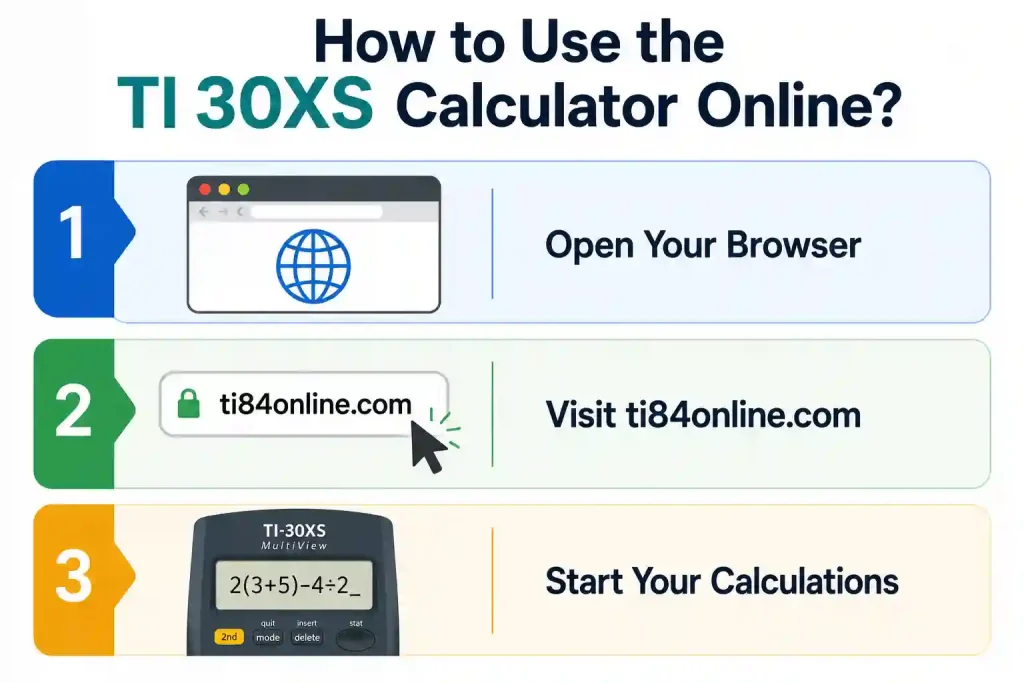
How to Use the TI 30XS Calculator Online?
The Texas Instruments TI 30xs multiview comes with a simple layout that makes calculations easy for students and beginners. Follow these steps to use the calculator properly:
- Open the TI 30XS through our website to access the calculator page.
- Enter mathematical equations or scientific equations into the calculator interface.
- Use trigonometric functions, logarithmic equations, or fraction conversion options as needed.
- Solve equations and perform function analysis using the easy-to-use interface.
- Check graphing functions and review your final answers for better scientific problem solving
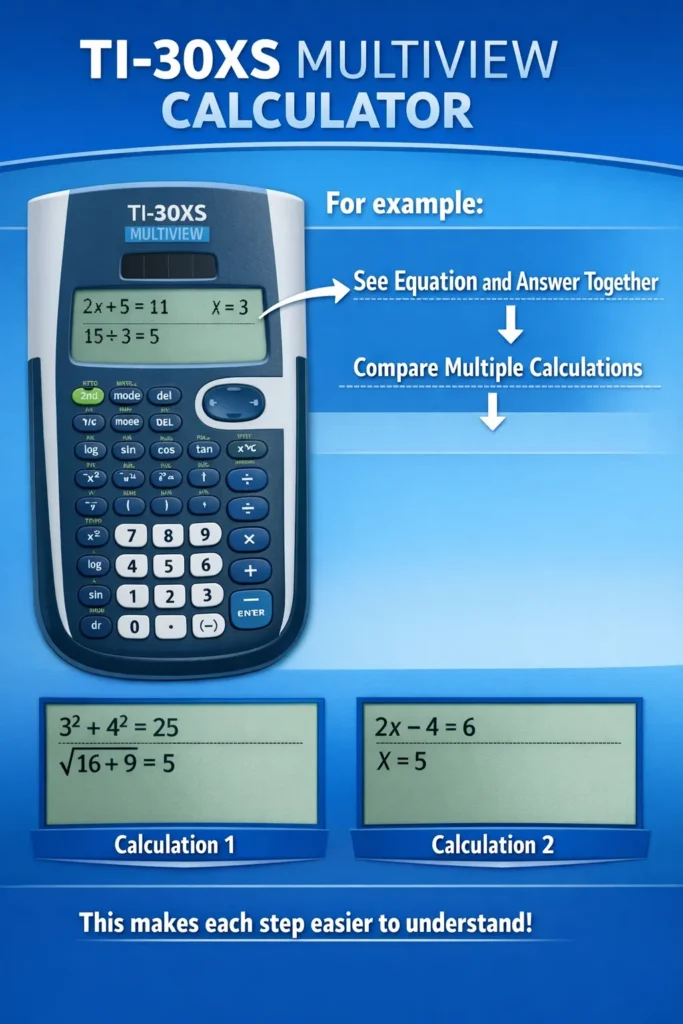
Top Key Features of the TI 30XS Calculator Online
Our free online TI-30XS Calculator gives you all the important functions of the real physical calculator directly in your browser without installing any app. Here are the top features that make it powerful and easy to use:
Trigonometric, Logarithmic, and Exponential Functions
This calculator can solve trigonometric, logarithmic, and exponential problems easily. It is useful for school, college, and science-related calculations.
Fraction and Decimal Conversion
You can easily change fractions into decimals or decimals into fractions in just a few clicks. It helps users read answers in their preferred format.
Solving Equations
Solve linear and quadratic equations quickly without manual calculations. It is helpful for algebra, calculus, and daily math practices.
Table Mode for Function Analysis
Table mode helps users check function values and understand variable changes step by step. It also makes function analysis and graph reading easier.
Why Use a TI 30XS Calculator Online?
The online scientific calculator helps users solve advanced and complex calculations without needing a physical calculator device. Students and professionals can use the digital calculator in any web browser for exam practice or office work. This portable solution saves time and gives instant access on smartphones, tablets, and computers.
The TI 30xa calculator is useful for daily math tasks because you can use it without installing any extra software or app on your device. The scientific calculator also offers simplicity and flexibility in accessing it on all devices. You can quickly solve any Math equation through the TI 30XS online calculator, and it is also easily accessible to you 24/7. You can also check our latest TI 84 calculator online.
Comparison Table with Other Calculators
To make choosing the Texas Instruments TI 30XS easier, compare its features and performance with those of other scientific calculators.
| Calculator | Display | Key Features | Best For |
| TI-30XS MultiView | Four-line display | Scientific tools, statistics, and table options | School math, science, and test practice |
| TI-30XIIS | Two-line display | Basic scientific and statistical functions | Simple high school work |
| TI-36X Pro | Four-line display | Matrices, vectors, and unit conversion tools | Advanced math and engineering |
Benefits of Using the TI 30XS Calculator Online
This online TI-30XS works exactly like the physical version, delivering accurate math, trig, and science calculations. It’s completely portable, needs no batteries or installation, and lets you solve problems instantly on any device.
Supports Multiple TI-30 Models
Our online calculator supports TI-30XS, TI-30X, and TI-30 models, giving you versatility for different school and exam requirements.

Portable and Lightweight
This web-based calculator works on phones, tablets, and other devices easily. Users can access it anywhere without carrying extra hardware.

No Battery Concerns
The calculator does not need batteries like physical devices. Users can continue calculations as long as their device has power and internet access.

Time-Saving
No setup or installation is required to use the calculator. Users can quickly start solving problems during exams, assignments, or office work.

Conclusion
The TI 30XS Calculator Online is a simple and useful option for students, teachers, and professionals who need quick and accurate calculations. It helps in solving scientific problems, trigonometry equations, and function analysis without requiring installation or a physical device. The TI 30xs multiview emulator also works smoothly on phones, tablets, and computers, making daily math, exams, and engineering tasks easier and more convenient.