
Free TI83 Calculator Online
Free to use • No download • Works in browser
TI83 Calculator Online
Struggling to solve graphs or long equations during homework, assignments, or exam practice? Many students find graphing calculators confusing, expensive, or difficult to access when they need quick help. That is where the TI83 Calculator Online becomes useful. It gives you a simple and beginner-friendly way to solve equations, plot graphs, and perform scientific calculations directly in your browser. This virtual TI83 calculator online helps students practice algebra, trigonometry, statistics, regression analysis, probability, and graphing functions in one place. Whether you are preparing for SAT, ACT, PSAT, AP, IB, or college-level math exams, the online calculator provides a smooth experience on desktop, tablet, and mobile devices.
What is a TI83 Calculator Online
A TI83 Calculator Online is a digital version of the classic Texas Instruments TI83 Calculator that works online. It helps students solve equations, draw graphs, and perform scientific calculations without needing a physical calculator or installing any app. The original TI83 became popular because of its simple layout and powerful graphing features used in schools and colleges. The online version gives a similar experience on any device, including laptops, tablets, and phones. When you are learning Calculus, Geometry, or Statistics, this virtual calculator makes problem-solving faster and easier. You can test equations, visualize graphs, and practice math anytime from anywhere.
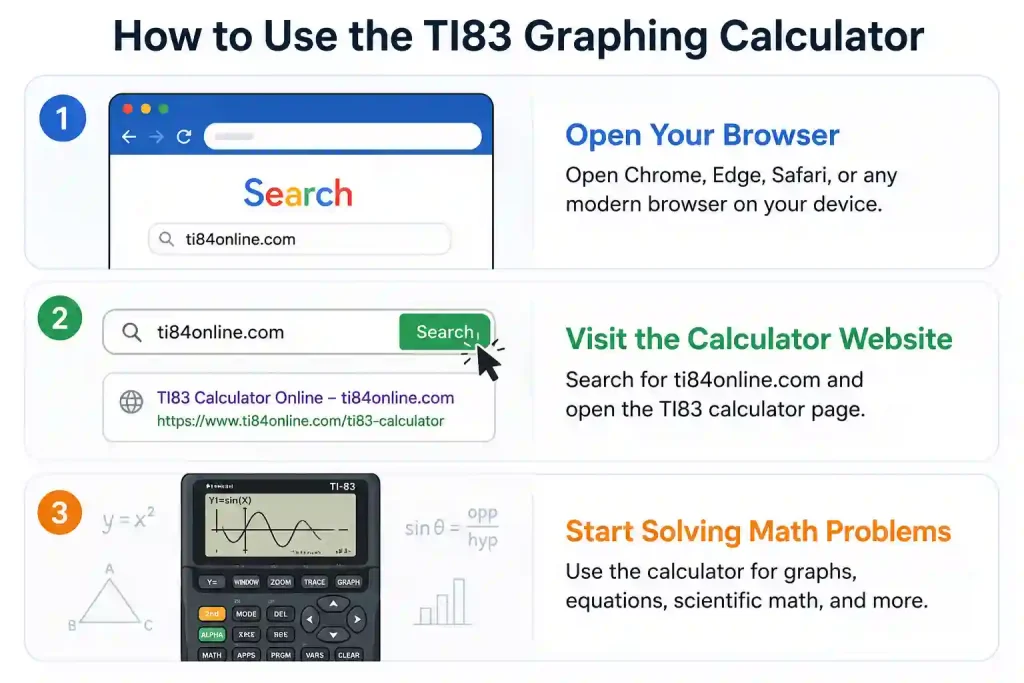
How to Use the TI83 Graphing Calculator
To start using the TI83 Calculator online is quick and simple. Follow the steps below:
Open the Calculator Page Visit ti84online.com from any modern browser on your computer, tablet, or mobile device.
Begin Solving Problems Use the calculator buttons just like a real handheld device to solve equations, draw graphs, and perform scientific calculations.
Explore Different Functions Try graphing equations, using statistical tools, testing trigonometric functions, or solving matrix problems for a better understanding of the calculator.
Features of the Online TI83 calculator
The TI83 Calculator makes complex math simple with instant graphing, smart calculations, and interactive tools you can use anytime.
Solve Math Problems Faster
Solve equations, fractions, roots, powers, and scientific expressions easily with a clean and simple calculator layout.
Understand Graphs Visually
Plot equations instantly and explore how curves, lines, and functions behave through interactive graphing tools.
Work with Statistics Easily
Analyze data using helpful statistical tools like averages, quartiles, standard deviation, and regression calculations.
Explore Trigonometry
Calculate sine, cosine, tangent, and inverse functions to better understand angles, triangles, and trigonometric concepts.
Create Data Charts and Plots
Use scatter plots, box plots, histograms, and data charts to turn numbers into easy-to-read visual graphs for better learning.
Perform Advanced Matrix Calculations
Perform matrices, determinants, inverse matrices, and row operations for algebra and higher-level math practice.
Study Anywhere Without Installation
Access the TI83 Calculator directly from your browser on desktop or mobile without downloading any software.
Benefits of the Virtual TI83 Calculator
Enjoy faster calculations, smart graphing, and advanced math tools without needing a physical calculator.
Free and Easy to Access
The ti83 emulator lets you solve math problems without buying an expensive calculator. All you need is a device and an internet connection.
Works on Multiple Devices
Use the calculator smoothly on desktop, laptop, tablet, or mobile devices without worrying about compatibility issues.
Fast and Accurate Results
Get accurate answers instantly for basic math, graphing, statistics, trigonometry, and matrix operations.
Helpful for School and College Students
From simple equations to advanced mathematical functions, the calculator supports learners at different education levels.
Limitations of the TI-83 Plus Calculator
While the TI83 Plus Calculator is useful for everyday math and graphing tasks, it still has a few limitations users should know about.
Limited Advanced Algebra Features
The calculator can solve many equations, but it does not fully support advanced symbolic calculations like step-by-step differentiation or complex algebra simplification.
Internet Dependency
The online version requires a stable internet connection to access all features smoothly in your browser.
Basic Programming Support
Compared to newer graphing calculators, the TI83 offers fewer advanced programming and coding capabilities.
Not Allowed in Some Exams
Certain schools and testing centers may restrict the use of virtual calculators during official exams or assessments.
Performance Depends on Device
Older devices or slow browsers may affect calculator speed and graph rendering performance.
Download Safety Matters
If you use a downloadable version, always choose trusted and official sources to avoid security or malware risks.
Try It Today!
Start using the Online TI83 calculator now and solve equations, explore graphs, and practice scientific calculations directly from your browser, free, fast, and easy to access on any device. You can also check our ti 84 calculator online.
Frequently Asked Questions
Conclusion
The TI83 Calculator online version provides a simple and convenient way to solve mathematical problems directly from your browser. From graphing equations to performing statistical and scientific calculations, it offers useful tools for both school and college students. Its beginner-friendly interface, quick access, and device compatibility make learning easier without needing a physical calculator. Whether you are practicing for exams or exploring mathematical concepts, the virtual TI-83 calculator is a reliable option for everyday learning and problem-solving.