
TI-85 Calculator Online – Easy Graphing Calculator for Math Practice
Many students need a graphing calculator for math practice, but they do not always have one nearby. A TI-85 calculator online gives them a simple way to solve equations, draw graphs, and study math directly in a web browser.
Free access • No installation needed • Runs in your browser
Use a TI-85 calculator online directly in your browser without downloading any software. This tool works like the original Texas Instruments TI-85 graphing calculator and helps students solve math problems easily. Students can use a TI-85 graphing calculator online for algebra, trigonometry, and statistics calculations. It also allows users to draw graphs and explore equations quickly. Many students use graphing calculators online for homework and math practice.
What Is TI-85 Calculator
TI-85 calculator is graphing calculator made by Texas Instruments. It became popular in many schools because it helped teachers explain graphs and equations more clearly. Students used the TI-85 graphing calculator to solve problems faster.Later, newer models such as the TI-86 calculator and the TI-84 calculator were released. Even so, the TI-85 calculator still helps students learn graphs and basic math. Today, students can use a TI-85 calculator online instead of buying a real calculator.
TI-85 Calculator Online Simulator
A TI-85 calculator simulator is a virtual version of the real calculator. Instead of using a physical calculator, students can open the tool inside a web browser. The simulator looks similar to the real TI-85 graphing calculator and includes the same buttons and layout. This allows students to practice using a TI-85 calculator online anytime. Many websites now provide free TI-85 calculator online tools for learning mathematics.
TI-85 Calculator Features
TI-85 calculator online simulator includes several useful functions that help students solve math problems more easily.
Graphing
Students can enter an equation and see the graph on the screen right away. This helps them understand how the equation looks and how the values change.
Algebra Calculations
The calculator helps students solve algebra problems more easily. It can be used for equations, expressions, and other common algebra steps.
Trigonometry Functions
Users can calculate trigonometry values such as sine, cosine, and tangent. These functions help solve problems related to angles and triangles.
Statistics Tools
Students can use the calculator to work with data and perform statistical calculations. It helps them find results more quickly and understand data in a simple way.
How to Use TI-85 Calculator Online
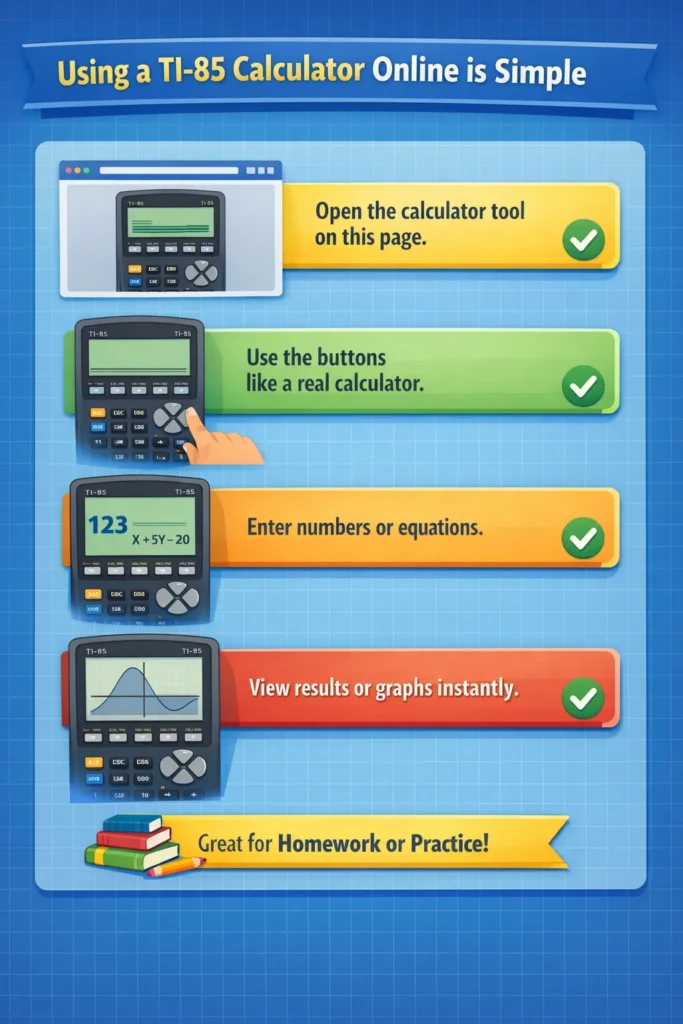
Using a TI-85 calculator online is simple and easy for students. You just open the calculator tool on the page and use the buttons like a real calculator. Then you can enter numbers or equations and view the results or graphs instantly. Students often use this calculator for homework, practice, and solving math problems more quickly.
TI-85 Calculator Functions List
The TI-85 graphing calculator supports many mathematical operations that help students solve different types of problems. It includes functions such as graphing equations, algebra calculations, trigonometry functions, statistics calculations, matrix operations, and logarithmic functions. These features make it easier for students to work on various math topics and understand problems more clearly.
Example of Using TI-85 Calculator
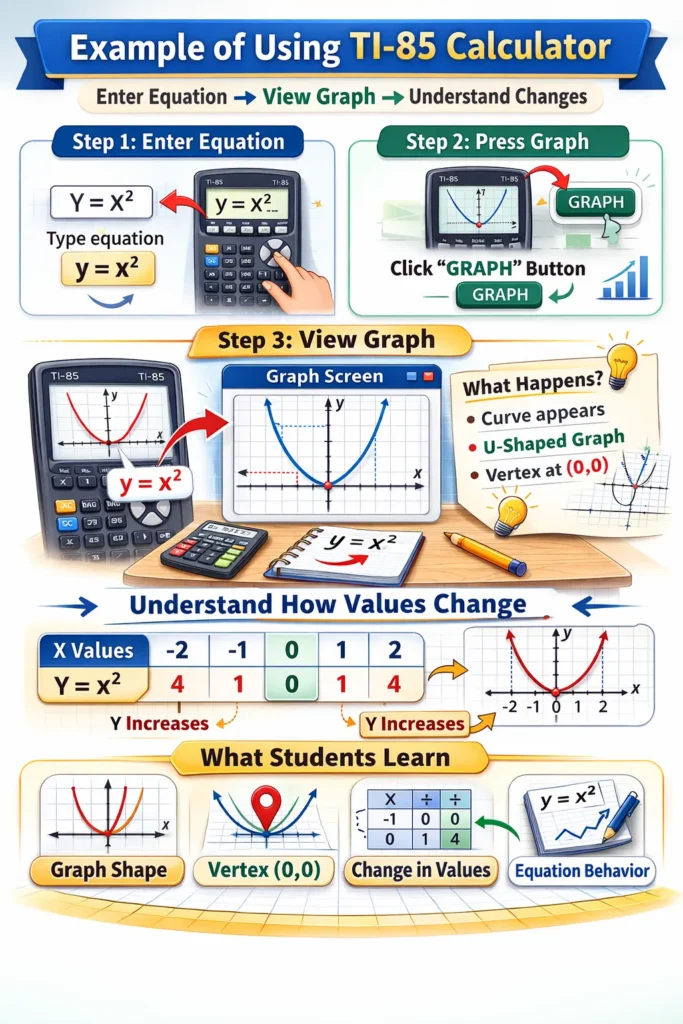
Students can enter equations and see graphs instantly on the screen. For example, if they type y = x², the calculator draws a curved line that goes upward on both sides. This curve shows how the value of y changes when x increases or decreases. By looking at the graph, students can easily understand the shape of the equation and how different values affect the result.
Who Can Use TI-85 Calculator
This calculator is helpful for many learners. People who often use TI-85 calculator online include:
- High school students
- College students
- Teachers
- Math learners
It is useful for anyone learning algebra, trigonometry, or statistics.
Benefits of Using TI-85 Calculator Online
Using a TI-85 graphing calculator online offers several benefits.
No download required
You do not need to install any software on your device. Just open the website and start using the calculator instantly.
Free to use
The online calculator is completely free for students. You can use all features without paying any mon
Works on computers and phones
You can use the calculator on different devices like computers, tablets, and mobile phones. This makes it easy to access anywhere.
Simple interface
The design of the calculator is easy to understand. The buttons look like a real calculator, so students can use it without confusion.
Helpful for learning math
The calculator helps students solve problems quickly and see results clearly. This makes learning math easier and more interesting.
TI-83 vs TI-85 vs TI-84 Comparison
Below is a simple comparison of three popular Texas Instruments graphing calculators.
| Feature | TI-83 Calculator | TI-85 Calculator | TI-84 Calculator |
| Release Year | 1996 | 1992 | 2004 |
| Graphing | Yes | Yes | Yes |
| Memory | Basic | Better than TI-83 | Higher memory |
| Speed | Moderate | Faster than TI-83 | Faster |
| Programming | Basic | Advanced for its time | More advanced |
| Popular Use | Schools | Math learning | Modern classrooms |
TI-83 calculator became popular in schools. TI-85 graphing calculator added more advanced features. Later, TI-84 calculator improved speed and memory. Today, many students use TI calculator simulators online instead of physical devices.
Conclusion
TI-85 calculator online is a useful tool for students learning mathematics. It helps users solve equations, draw graphs, and practice math problems easily. Because the calculator runs in a browser, students can use a TI-85 calculator simulator anytime without installing software.