Best Calculator for SAT Math: TI-84 vs TI-30XS Guide
Many students spend months preparing for the SAT, but forget one small detail that can change their math score choosing the right calculator. Some students buy an expensive calculator without knowing if they really need it, while others use a simple one and later realize they are missing helpful features. That is why choosing between TI-84 calculator vs TI-30XS calculator is not just about price, but also about performance, comfort, and speed during the test.
Intoduction
When you walk into the SAT exam room, your calculator becomes one of your most trusted tools because it helps you save time, check answers, and avoid mistakes that could cost valuable points. That is why many students keep asking the same important question again and again: which Best Calculator for SAT Math should they choose, TI-84 or TI-30XS?
Both calculators are popular among students, and both are allowed in SAT exams, which makes them safe and reliable choices. Graphing calculators like the TI-84 calculator give you more advanced tools, while scientific calculators like the TI-30XS calculator keep things simple and fast, so choosing between them depends on your learning style, math level, and how you practice before test day.
Many students today also practice using a TI-84 calculator online because it works directly inside a browser and allows graph plotting, algebra solving, and equation testing without buying a physical device, which makes practice easier for students who are still learning the calculator layout.
In this guide, we will carefully compare TI-84 vs TI-30XS in real student situations so you can clearly decide which one fits your SAT preparation journey.
Why Choosing the Right Calculator Matters for SAT Math
Some students believe that calculators do not matter much during SAT preparation, but in reality the right calculator can help you work faster and reduce simple mistakes that often cost marks.
SAT math includes two types of sections where calculators play different roles, including a calculator-allowed section and a no-calculator section, which means your calculator becomes especially important in selected parts of the test when solving long arithmetic or complex expressions.
A student using the right calculator during SAT math can gain several advantages that directly affect performance, including the ability to:
- Save time on calculations
- Check answers quickly
- Avoid manual errors
- Solve graph-based problems faster
On the other hand, using the wrong calculator can slow you down and create unnecessary pressure during timed questions.
For example, imagine solving a long decimal multiplication problem during the exam where speed matters. If your calculator has clear buttons and fast response, you finish quickly and move to the next question, but if the buttons are confusing or slow, you waste time and lose focus, which may affect your overall score.
That is why students preparing seriously for SAT math should never ignore this decision, because the right calculator can make a noticeable difference in both speed and confidence during the test.
SAT Calculator Rules Every Student Must Know
Before choosing any calculator, you must understand the official SAT calculator rules because using a banned calculator can create serious problems during the exam and may prevent you from completing the calculator section smoothly.
According to official SAT calculator guidelines, most graphing and scientific calculators are allowed, including models from the TI-84 calculator online family, which makes them a safe and trusted option for students preparing for SAT math.
However, it is also important to understand that some calculator features are not allowed during the exam, especially those related to communication, internet access, or advanced external connections, because these features can create unfair advantages and violate test rules.
Calculators Allowed in SAT
Before bringing a calculator to the exam, it is important to understand which types are usually accepted in SAT math, because using an approved calculator helps you avoid last-minute stress and ensures smooth testing.
These calculator types are commonly allowed in the SAT calculator section, including:
- Graphing calculators
- Scientific calculators
- Four-function calculators
Among these categories, several popular models are widely used by students because they are reliable and fully approved for SAT preparation, including:
Both TI-84 calculator and TI-30XS calculator models are officially approved, which makes them safe choices for students who want dependable tools during the exam.
Calculators Not Allowed
Just as important as knowing what is allowed is understanding what cannot be used during the test, because bringing a restricted device can create serious problems on exam day.
You cannot use calculators or devices that include features such as:
- Calculators with internet access
- Devices with cameras
- Smartphones
- Devices with full keyboards
These restrictions exist to prevent cheating and reduce distractions, helping ensure that every student completes the exam under fair and controlled conditions.
Overview of TI-84 Graphing Calculator
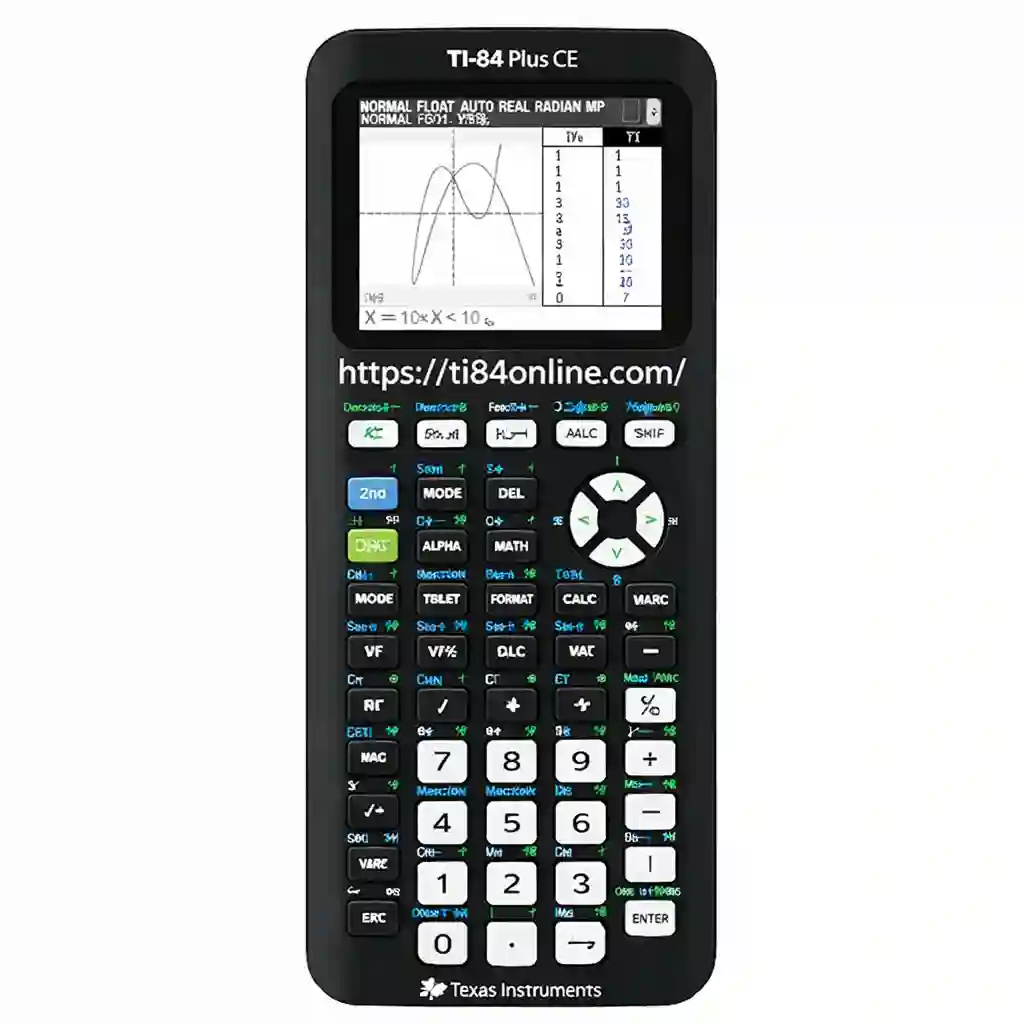
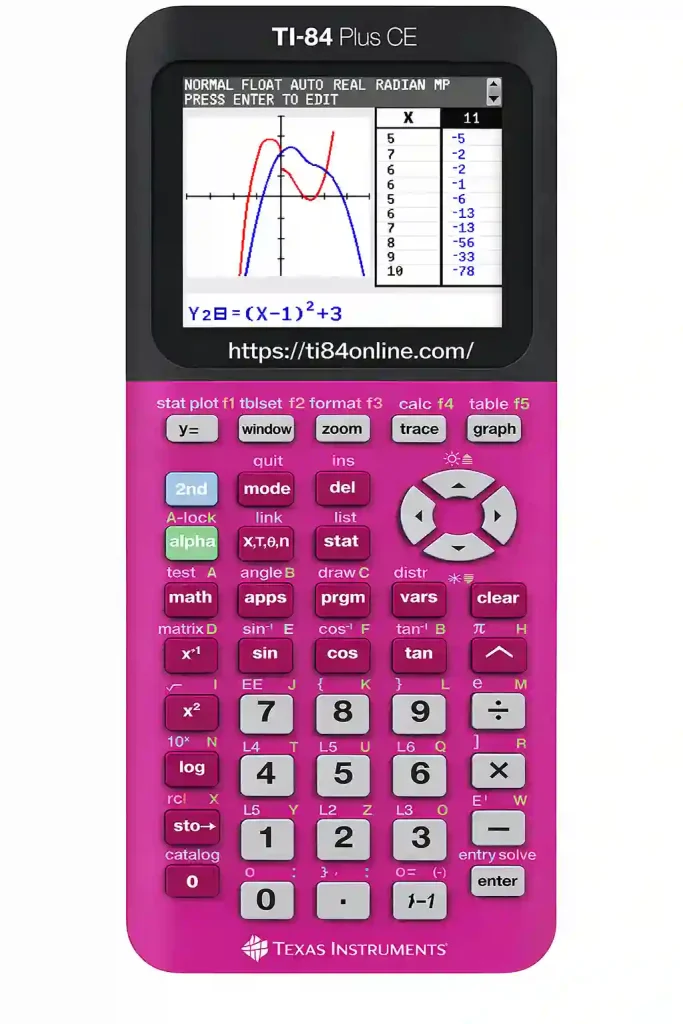
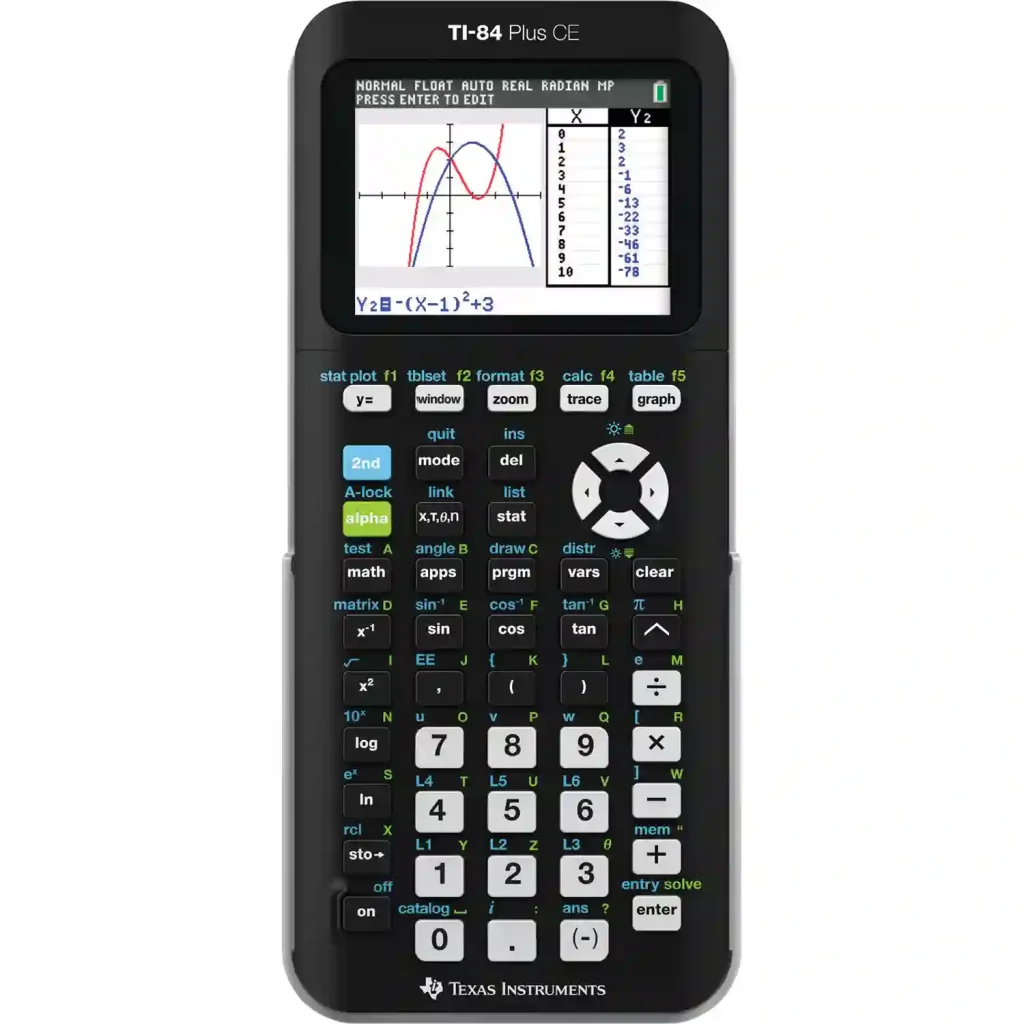
The TI-84 graphing calculator is one of the most widely used calculators among high school students because it supports both everyday math and advanced problem solving. Many math teachers recommend this calculator since it can handle simple arithmetic as well as complex equations that appear in higher-level math.
Unlike basic calculators that only solve numbers step by step, the TI-84 can draw graphs, store equations, and perform statistical analysis, which makes it especially useful for students preparing for SAT math and advanced courses.
Key Features of TI-84
The TI-84 graphing calculator includes several powerful features that help students handle both basic and advanced math problems more efficiently.
| Feature | Description |
|---|---|
| Graphing | Can draw graphs directly from equations |
| Programming | Supports custom programs for repeated calculations |
| Statistics | Handles advanced statistical data and analysis |
| Memory | Stores formulas and equations for quick access |
| Screen | Large display that clearly shows graphs and results |
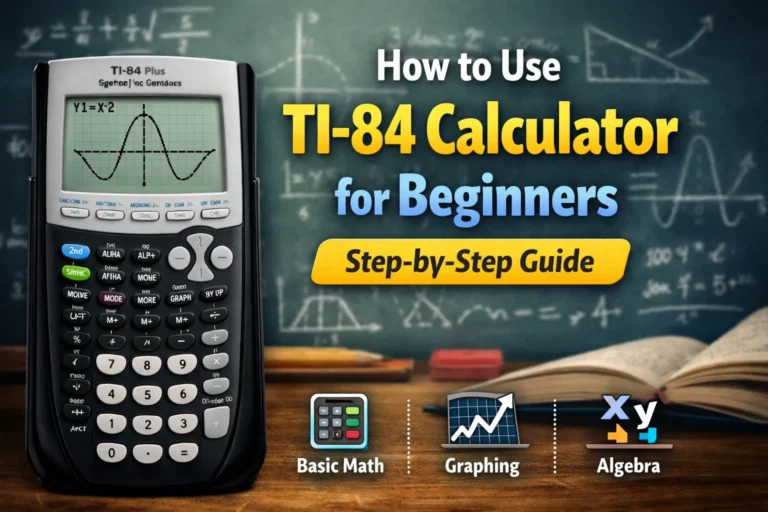
One of the biggest advantages of the TI-84 is its ability to visualize equations, which allows students to understand math concepts more clearly instead of solving everything manually. When you enter a function into the calculator, you can immediately see the graph appear on the screen, making it easier to understand how numbers change across values.
For example, if you want to understand how a parabola behaves in SAT math, you can enter the equation and instantly view its curve, which helps you identify turning points and intersections without spending extra time solving step by step.
Students who practice algebra, trigonometry, or statistics often find this feature extremely helpful because visual learning makes difficult topics easier to understand. Many learners also practice using a TI-84 calculator online, which simulates the real calculator layout and allows equation plotting directly in a browser without needing to buy a physical device.
This online practice method makes learning more accessible, especially for students who cannot afford a physical graphing calculator but still want to master calculator-based math skills.
Advantages of TI-84 for SAT Students
Students preparing for SAT math often choose the TI-84 calculator because it offers advanced support when solving complex problems that involve multiple steps or visual understanding.
Some of the major benefits of using the TI-84 during SAT preparation include:
- Visual graph support that helps students understand equations clearly
- Faster multi-step calculations that reduce manual solving time
- Ability to check answers visually using graphs and functions
- Useful support for advanced math courses beyond the SAT
If you plan to take calculus or advanced algebra after SAT, this calculator can continue to help you in future classes, making it a long-term investment rather than just a short-term exam tool.
Limitations of TI-84
Even powerful calculators like the TI-84 have some downsides that students should understand before making a final decision, especially when comparing different calculator options for SAT math.
Some of the most common limitations include:
- Higher price compared to most scientific calculators
- Slight learning curve for beginners who are new to graphing tools
- Larger size compared to compact scientific calculators
Many beginners feel confused when they first use the TI-84 calculator because of its many buttons and advanced functions, but once you learn the basic steps and become familiar with the layout, it gradually becomes easier to use and more comfortable during regular practice.
Overview of TI-30XS Scientific Calculator
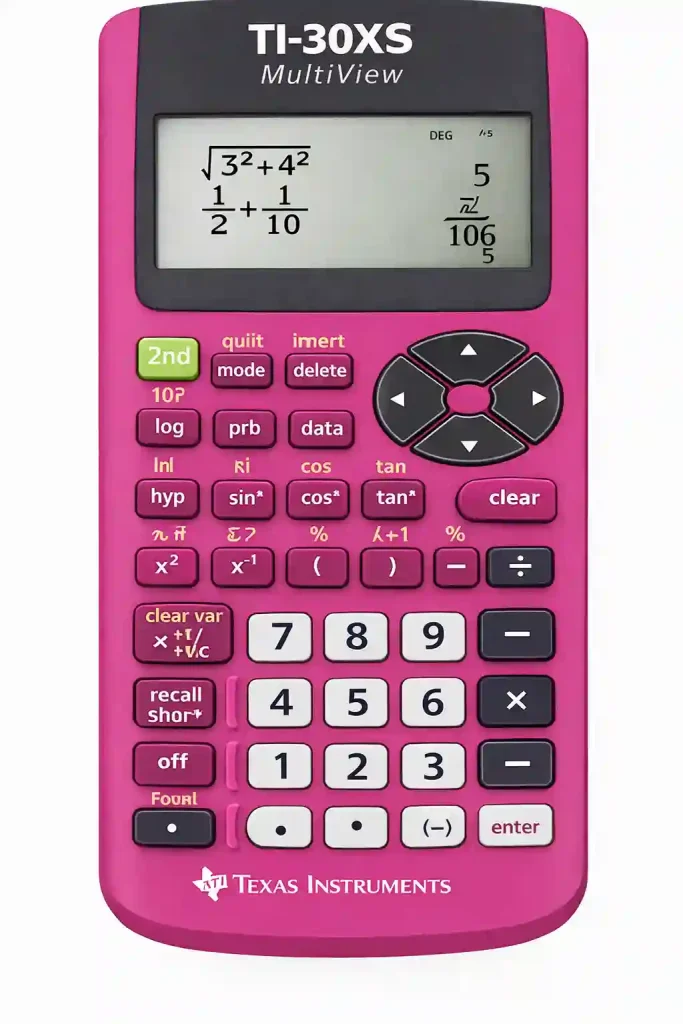
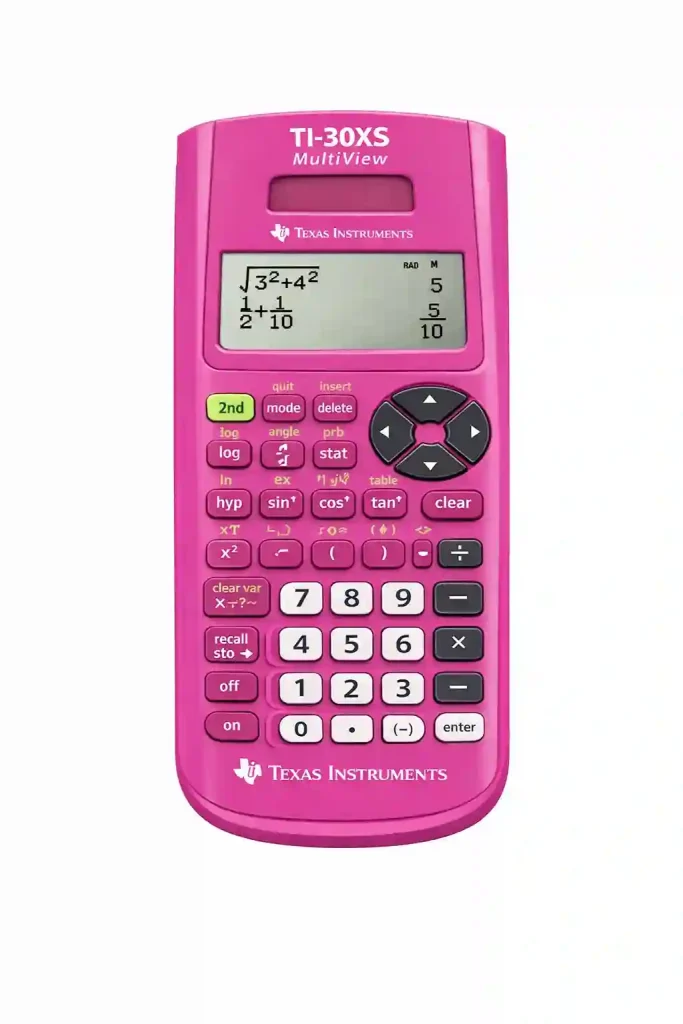
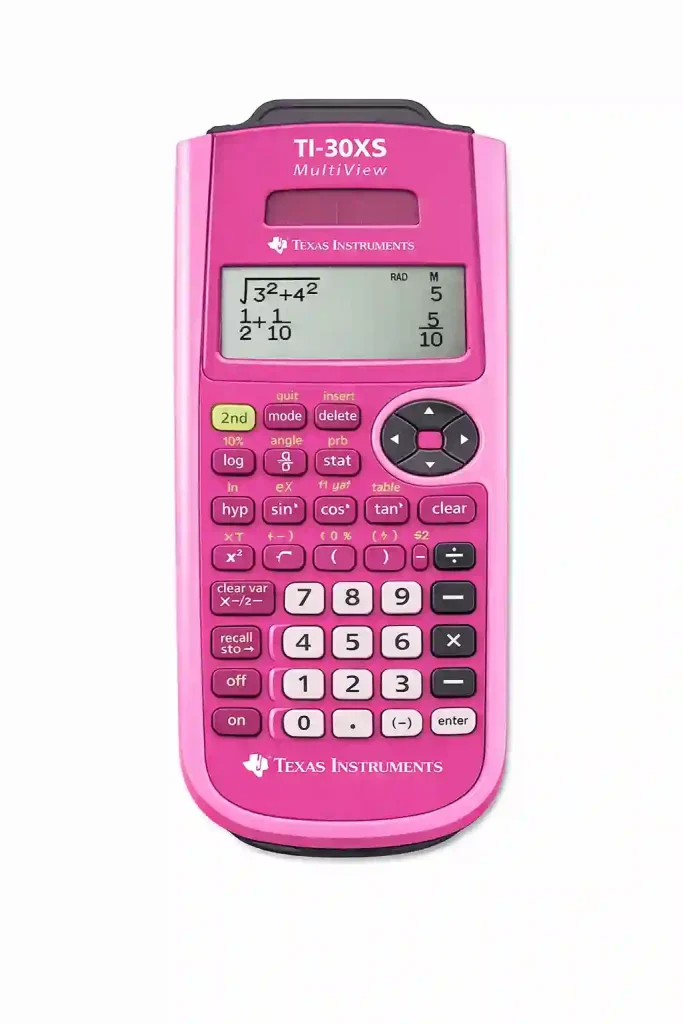
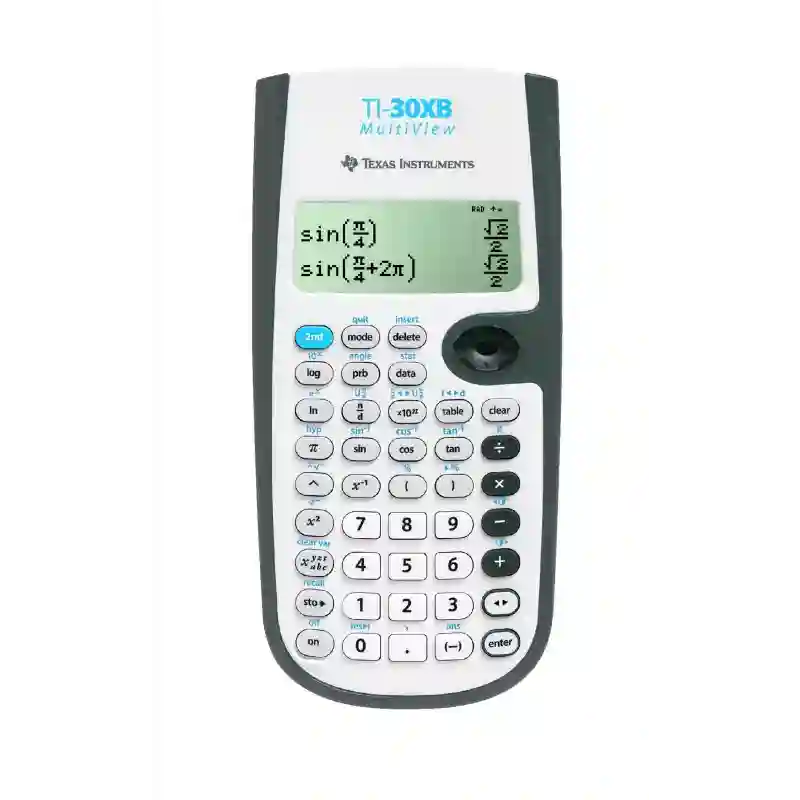
The TI-30XS MultiView is a scientific calculator widely known for its simplicity and reliability, which makes it a popular choice among students who prefer straightforward tools. Many students choose this calculator because it performs essential calculations quickly without requiring complex settings or advanced navigation.
Unlike graphing calculators such as the TI-84 calculator online, this model focuses mainly on speed and clarity, allowing students to solve everyday math problems efficiently without spending extra time learning complicated features.
Key Features of TI-30XS
The TI-30XS MultiView includes several useful features that make it reliable for daily math practice and SAT math preparation.
| Feature | Description |
|---|---|
| MultiView Display | Shows multiple lines of calculations at once |
| Fraction Support | Handles fractions quickly and accurately |
| Statistics | Supports basic statistical functions |
| Battery | Solar powered with backup battery support |
| Compact Design | Lightweight and easy to carry |
One of the most useful features of the TI-30XS calculator is its MultiView display, which allows you to see multiple steps of calculations on the screen at the same time instead of viewing only one line.
Students can scroll back, check earlier numbers, and correct mistakes quickly, which helps reduce calculation errors and improves overall speed during timed SAT math practice.
Advantages of TI-30XS for SAT Students
Many SAT students prefer scientific calculators like the TI-30XS calculator because they are easier to use and require less time to learn compared to advanced graphing calculators.
Some of the key benefits of using the TI-30XS during SAT math preparation include:
- Simple layout that makes buttons easy to understand for beginners
- Fast calculations that reduce waiting time during timed questions
- Lightweight design that makes it comfortable to carry and handle
- Budget-friendly price compared to most graphing calculators
Because of these advantages, the TI-30XS is often enough for students who only need arithmetic, fractions, and basic algebra, making it a practical choice for everyday SAT math preparation.
Limitations of TI-30XS
The main limitation of the TI-30XS calculator online is the lack of graphing capability, which means it cannot display visual graphs like advanced graphing calculators used in higher-level math.
Because of this limitation, students may experience certain restrictions during more advanced problem solving, including:
- No graph visualization for equations and functions
- Limited advanced functions compared to graphing calculators
- Not suitable for higher-level math visualization tasks
For this reason, students preparing for advanced math courses such as calculus or higher algebra may find the TI-30XS somewhat limited in the long term, especially if their studies require frequent graph-based problem solving.
TI-84 vs TI-30XS Comparison Table
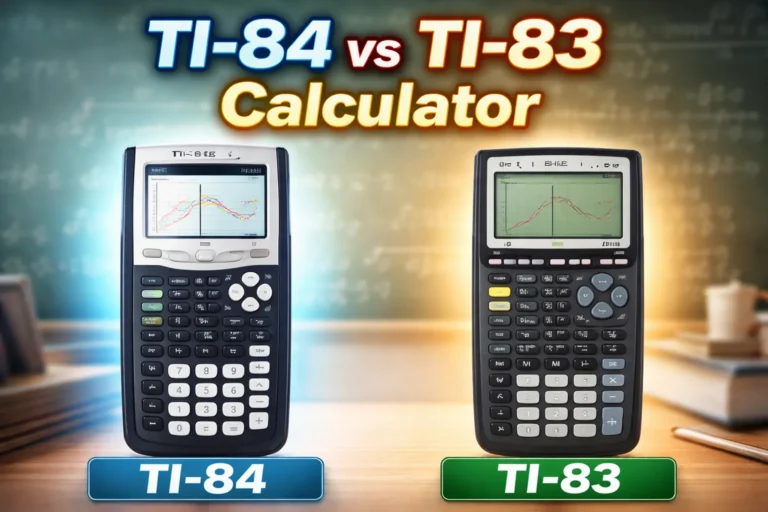
To make the decision easier, here is a clear side-by-side comparison between the TI-84 and TI-30XS, showing how each calculator performs in important areas that matter during SAT math preparation.
| Feature | TI-84 Calculator | TI-30XS Calculator |
|---|---|---|
| Calculator Type | Graphing Calculator | Scientific Calculator |
| Graphing Ability | Yes | No |
| Difficulty Level | Medium learning curve | Easy to learn |
| Price | Higher cost | Lower cost |
| Size | Larger body | Compact design |
| Speed | Fast for complex tasks | Very fast for simple tasks |
| Best For | Advanced math and visualization | Basic math and quick calculations |
This table gives a quick overview of the key differences, but the real advantages of each calculator become clearer when we explore how they perform during actual SAT-style math problems.
Graphing Calculator vs Scientific Calculator
Before choosing between TI-84 calculator and TI-30XS calculator, it is important to understand the difference between graphing and scientific calculators, because knowing how each type works makes it easier to select the right tool for SAT math preparation.
What Is a Graphing Calculator?
A graphing calculator allows you to enter equations and display visual graphs, which helps students understand how numbers and variables change together instead of solving everything step by step.
These calculators are commonly used to support subjects such as:
- Algebra
- Trigonometry
- Functions
- Statistics
Because of these capabilities, graphing calculators are widely used in higher-level math courses where visual understanding plays an important role.
What Is a Scientific Calculator?
A scientific calculator focuses on standard mathematical operations and handles equations without drawing graphs, making it faster and easier to use for routine calculations.
This type of calculator is commonly used for tasks such as:
- Fractions
- Square roots
- Exponents
- Percent calculations
Scientific calculators are ideal for quick calculations and simple math tasks, especially when problems do not require visual graphing.
Real SAT Math Examples Using TI-84 and TI-30XS
Understanding calculator functions is helpful, but real learning happens when you see how these tools behave during actual SAT-style math questions. Many students read about different calculator functions but never test them in real problem situations, which often leads to confusion during the exam.
To make things clearer, let’s walk through some simple SAT-style examples so you can see how each calculator works in practice and understand which one saves more time during problem solving.
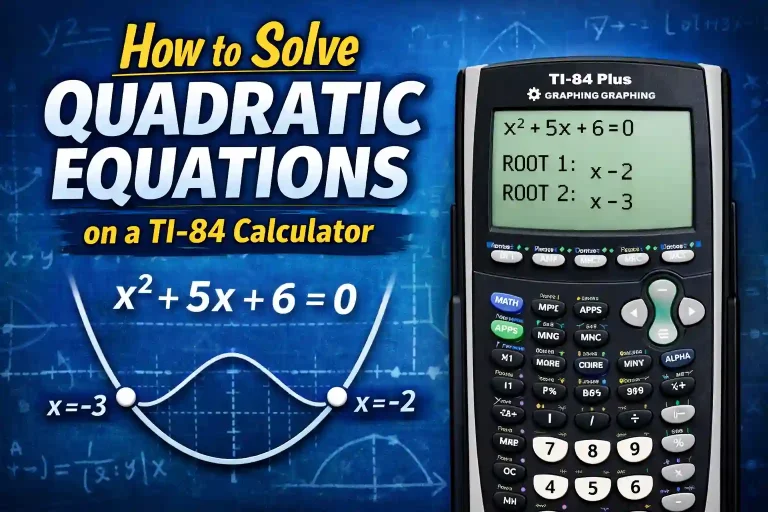
Example 1 — Solving a Quadratic Equation
Imagine you see the following equation in the SAT calculator section:
x² − 5x + 6 = 0
This type of problem appears frequently in algebra sections, so understanding how to solve it efficiently using your calculator can save valuable time during the test.
Using TI-30XS
With the TI-30XS calculator online, you usually solve this type of equation manually by using factoring or applying the quadratic formula.
The solving process normally follows these steps:
- Write the equation clearly
- Factor the equation
- Solve for the value of x
For example, the equation:
x² − 5x + 6 = 0
can be factored as:
(x − 2)(x − 3) = 0
From this factorization, the solutions become:
x = 2
x = 3
This method works well when the equation is easy to factor, but if the numbers become larger or more complex, the manual process may take more time and increase the chance of small calculation mistakes.
Using TI-84
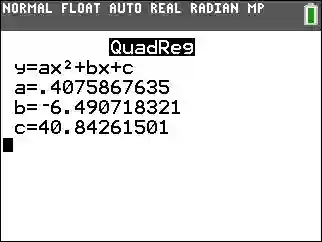
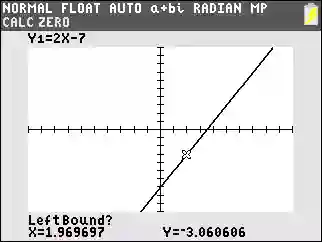
With the TI-84 calculator online, the solving process becomes faster because you can graph the equation instead of solving everything manually.
You simply enter:
Y = x² − 5x + 6
After viewing the graph, the points where the curve crosses the x-axis represent the solutions to the equation.
In this example, the graph will show:
x = 2
x = 3
This visual method saves time and reduces guesswork, especially when working with equations that are difficult to factor manually.
Example 2 — Working With Fractions
Fraction-based questions appear frequently in SAT math, especially in ratio and algebra problems where accurate calculation is important.
Let’s say you need to solve the following expression:
(3/4) + (5/6)
Using TI-30XS
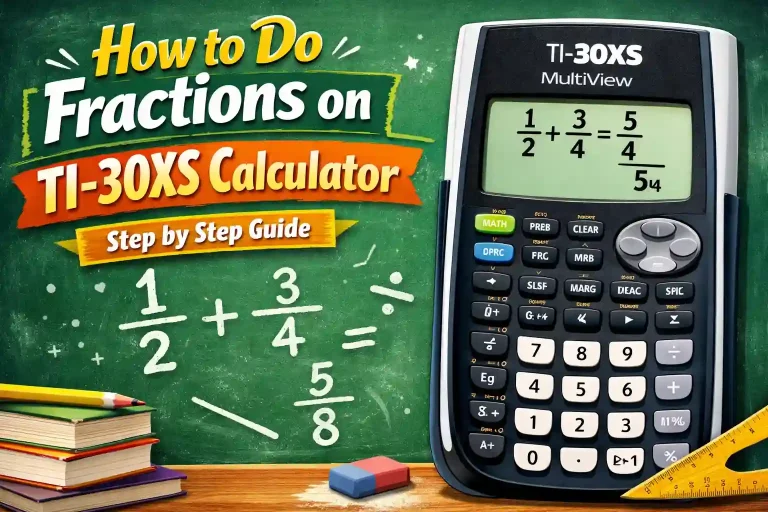
The TI-30XS calculator handles fraction-based calculations very smoothly, which makes it useful for solving ratio and decimal problems quickly.
You simply enter:
3/4 + 5/6
The calculator returns:
19/12
You can also convert this result into decimal form quickly if the question requires it. Because of this speed and simplicity, the TI-30XS becomes very efficient for solving problems that involve repeated fraction calculations.
Using TI-84
The TI-84 calculator online also supports fraction calculations, but it may require slightly more steps depending on the calculator settings and display format.
Once configured correctly, it performs reliably and produces accurate results. For fraction-based calculations alone, both calculators perform strongly, although the TI-30XS calculator online may feel slightly faster for basic arithmetic tasks.
Fraction Calculation Performance Comparison
To better understand how each calculator performs during fraction-based problems, here is a simple comparison showing their behavior during this example.
| Task Area | TI-30XS Performance | TI-84 Performance |
|---|---|---|
| Fraction Entry | Very simple input process | Requires correct mode settings |
| Speed for Basic Fractions | Very fast response | Fast after proper setup |
| Decimal Conversion | Quick conversion option available | Available but may require extra steps |
| Ease of Use | Beginner-friendly interface | Slight learning required |
| Best Use Case | Frequent fraction problems | Mixed problem types including graphs |
This comparison shows that both calculators can solve fraction problems accurately, but the TI-30XS often feels slightly faster for simple arithmetic tasks, while the TI-84 remains useful when problems include multiple steps or mixed operations.
Which Calculator Is Faster During SAT?
Speed plays an important role in SAT math because every second counts during timed sections. Many students lose points not because they lack knowledge, but because they spend too much time on calculations that could have been completed faster with the right calculator.
To better understand performance differences, here is a comparison of how both calculators behave during common SAT-style tasks.
Speed Comparison Table
| Task | TI-84 Speed | TI-30XS Speed |
|---|---|---|
| Basic Arithmetic | Fast response | Very quick response |
| Fraction Calculations | Fast handling | Very efficient handling |
| Graphing Equations | Very fast visualization | Not available |
| Statistical Functions | Fast processing | Moderate speed |
| Navigation Learning | Moderate learning time | Easy to learn |
| Startup Time | Moderate startup | Quick startup |
From this table, a clear pattern becomes visible. Scientific calculators like the TI-30XS calculator perform faster during simple arithmetic tasks, while graphing calculators like the TI-84 calculator become more efficient when solving equations that require visualization or multi-step analysis.
TI-84 Online Calculator: A Smart Practice Tool
Many students hesitate to buy a graphing calculator because of its cost, which is why online practice tools have become increasingly useful for beginners preparing for SAT math.
Today, learners can practice using a TI-84 calculator online before buying a physical device, allowing them to understand the layout and explore functions without spending money immediately.
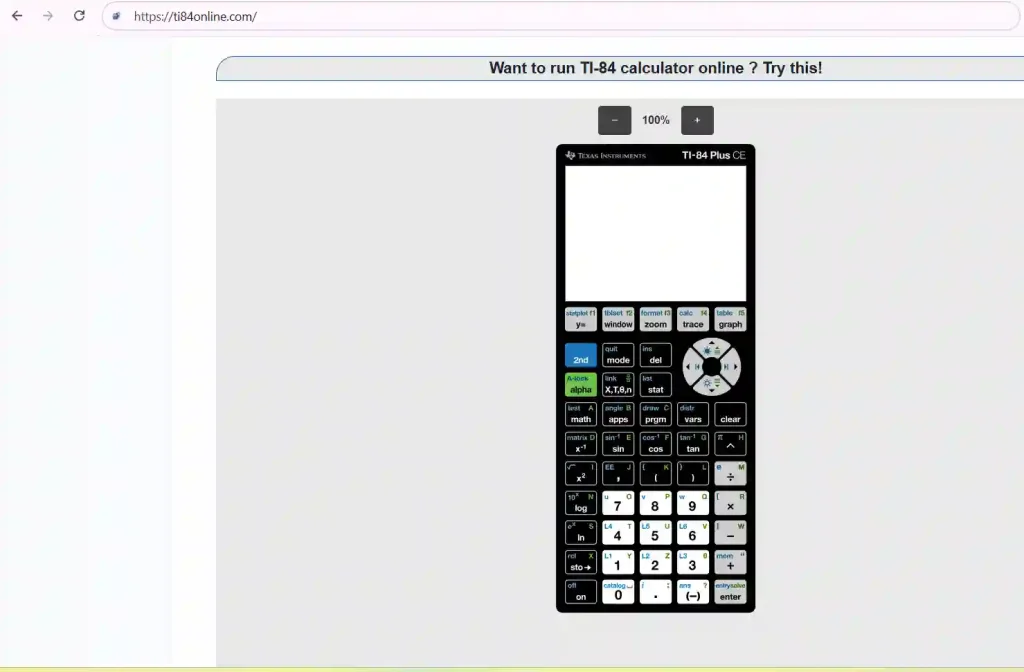
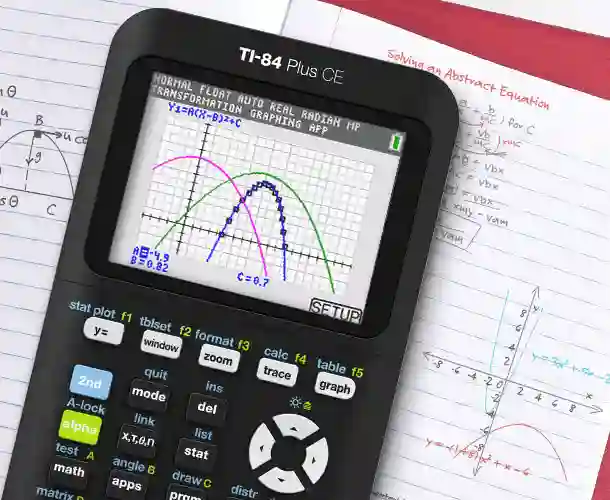
Using an online TI-84 simulator provides several helpful advantages during preparation, including the ability to:
- Learn button positions and navigation more confidently
- Practice graphing equations without needing a physical calculator
- Solve algebra problems and test equations quickly
- Improve calculation speed through repeated practice
Many students use online simulators regularly during daily study sessions, especially when preparing for timed SAT mock tests, because repeated exposure to the calculator layout builds familiarity.
This practice method reduces confusion, improves confidence, and helps students feel more prepared before exam day.
Cost Comparison and Long-Term Value
Price is one of the biggest factors people consider when choosing a calculator, especially when preparing for SAT math on a limited budget. While some models cost more at the beginning, they may provide long-term benefits that make them more valuable over time.
Price Comparison Table
| Feature | TI-84 Calculator | TI-30XS Calculator |
|---|---|---|
| Average Price | Higher cost | Lower cost |
| Lifespan | Long-lasting | Long-lasting |
| Advanced Use | Supports advanced math | Limited advanced support |
| College Use | Suitable for college-level math | Sometimes useful |
| Budget Friendly | Less budget-friendly | Highly budget-friendly |
Many learners see the TI-30XS calculator as a budget-friendly option, especially when they only need a calculator for SAT math preparation and basic arithmetic tasks.
However, those planning to study engineering, mathematics, or science often prefer the TI-84 calculator, because it continues to support advanced topics in college-level courses where graphing becomes essential.
Buying a TI-84 calculator once may cost more at the beginning, but it can save money in the long run since the same calculator can be used for many years across multiple math courses.
Who Should Choose TI-84?
Some students benefit greatly from using a graphing calculator, especially when their math studies involve equations that require visual understanding.
The TI-84 is a suitable choice if:
- You plan to take advanced math courses such as algebra, trigonometry, or calculus
- You prefer visual learning methods that help explain functions clearly
- You need graphing support to analyze equations and relationships
- You practice algebra problems frequently during SAT math preparation
- You plan to study STEM subjects that require strong math skills
For example, a student preparing for calculus will benefit from seeing graphs and analyzing functions visually, because visual representation often makes complex topics easier to understand. The TI-84 calculator supports this type of learning and helps students build confidence over time.
Who Should Choose TI-30XS?
Not every learner needs a graphing calculator, especially when their focus remains on simple arithmetic and basic algebra topics.
The TI-30XS calculator is often a better option if:
- You prefer simple tools that are easy to understand from the start
- You mainly focus on basic algebra and everyday calculations
- You want fast results during timed practice sessions
- You need a budget-friendly option that costs less than graphing calculators
- You prefer a lightweight device that is easy to carry and handle
Many learners preparing only for basic SAT math topics find this calculator more than enough for their needs. It handles everyday calculations quickly and reliably, which makes practice sessions smoother and less stressful.
Common Mistakes Students Make When Choosing a Calculator
Many learners rush into buying a calculator without thinking about long-term needs, which often leads to frustration later when they realize their choice does not match their study style or future math requirements.
To avoid unnecessary problems, it is helpful to understand some of the most common mistakes people make when selecting a calculator for SAT math preparation.
Mistake 1: Buying Without Checking SAT Rules
Some learners purchase calculators without confirming whether they are allowed in SAT exams, which can create unnecessary stress before test day and force them to change devices at the last moment.
Always check official approval lists before buying a calculator so that you feel confident on exam day.
Mistake 2: Choosing Based Only on Price
Price matters when buying a calculator, but it should never be the only factor considered during selection.
Buying the cheapest option may save money at the beginning, but it can create learning limitations later if the calculator lacks useful features. A balanced choice that considers both cost and functionality usually provides better long-term value.
Mistake 3: Not Practicing Before Exam Day
Even the best calculator becomes less useful if you do not practice using it regularly before the exam.
Consistent practice with the same calculator helps build familiarity, improves speed, and reduces confusion during timed SAT math sections.
Expert Tips for Using Calculators During SAT
Learning how to use your calculator efficiently can make a noticeable difference in your SAT math performance, especially when time pressure increases during difficult sections.
These practical tips are based on common student experiences and classroom observations, and they can help improve both speed and accuracy during the exam.
Tip 1: Learn Basic Shortcuts
Many calculators include shortcut keys that allow you to perform repeated actions more quickly, and learning these shortcuts can save valuable time during timed exam sections.
Tip 2: Avoid Overusing the Calculator
Not every math problem requires calculator use, because in many cases mental math can provide faster results.
Using your calculator only when necessary helps reduce unnecessary steps and improves overall time management during the test.
Tip 3: Practice Under Time Limits
Timed practice sessions help you understand how real exam pressure feels, which makes it easier to stay calm during the actual SAT math test.
Try solving full mock tests using the same calculator you plan to bring on exam day, so your hands become familiar with the button layout.
Tip 4: Double Check Entries
Many mistakes happen because of incorrect number entry, especially when students rush through calculations.
Always take a second to recheck numbers before pressing the equals button, because even small typing errors can lead to wrong answers.
Real Student Scenario: Choosing the Right Calculator
Let’s imagine two students preparing for SAT math, both working hard but using different learning styles and study methods.
Student A: Uses TI-30XS Calculator
Student A prefers simple tools and focuses mainly on arithmetic and algebra topics that require quick calculations rather than visual graphs. Most problems are solved manually, and the calculator is used only when necessary to confirm answers or speed up routine steps.
For this type of learner, the TI-30XS calculator works very well because it provides fast calculations without adding extra complexity that might slow down daily practice.
Student B: Uses TI-84 Calculator
Student B studies advanced algebra and trigonometry topics wher e visual understanding plays an important role. This learner enjoys exploring equations and regularly practices graphing functions to understand how values change across different inputs.
For this learning style, the TI-84 calculator offers strong advantages because its graphing ability helps explain complex relationships that may be difficult to understand using numbers alone.
This simple scenario shows that the best calculator for SAT math depends more on your learning style and study goals than on features alone, because the right tool should match the way you solve problems and practice daily.
Frequently Asked Questions (FAQs)
Is TI-84 allowed in SAT?
Yes, TI-84 calculators are allowed in SAT math sections where calculator use is permitted, making them a safe and approved option for students who prefer graphing tools.
Is TI-30XS enough for SAT math?
Yes, many students successfully use the TI-30XS for SAT math preparation because it supports most basic calculations such as fractions, percentages, and algebra steps that appear frequently in exam questions.
Do you really need a graphing calculator for SAT?
Not always, because many SAT problems can be solved using a scientific calculator without visual graphs. Graphing calculators simply make certain problems faster to solve, especially when equations require visualization.
Can TI-84 improve SAT score?
A TI-84 does not automatically increase your score, but it can help solve certain problems faster and more accurately, which may improve time management during the test.
Which calculator is easier for beginners?
The TI-30XS is usually easier for beginners because of its simple layout and fewer buttons, which reduces confusion and helps new users learn calculator functions more quickly.
Can I use a TI-84 calculator online for SAT practice?
Yes, many students practice using a TI-84 calculator online to learn button placement and graphing methods before using a physical device during exams.
How long does it take to learn TI-84 basics?
Most beginners can learn basic TI-84 functions within a few days of regular practice, especially when focusing on common SAT-style calculations.
Should I practice with the same calculator before exam day?
Yes, practicing with the same calculator you plan to use in the exam helps improve speed and reduces confusion during timed test sections.
Final Verdict: Which Calculator Is Best for SAT Math?
Choosing between TI-84 Calculator vs TI-30XS Calculator ultimately depends on your learning style, future academic plans, and the budget you are comfortable with during your preparation journey.
If you need advanced features, strong graphing support, and a calculator that continues to help beyond the SAT, the TI-84 calculator becomes a valuable long-term investment. It supports deeper understanding of equations and remains useful even in college-level math courses.
If simplicity, speed, and affordability matter more to you, the TI-30XS calculator online remains an excellent choice. It handles everyday calculations smoothly and works perfectly for students focusing mainly on basic SAT math preparation.
The best calculator is not always the most expensive one, but the one that matches your daily practice habits and makes problem solving feel comfortable and natural.
Students who practice regularly with the right calculator usually feel more confident during exams, and that confidence often leads to faster thinking, fewer mistakes, and better overall performance on test day.